


Development support
Information about the interfaces and protocols concerning FRITZ!Box
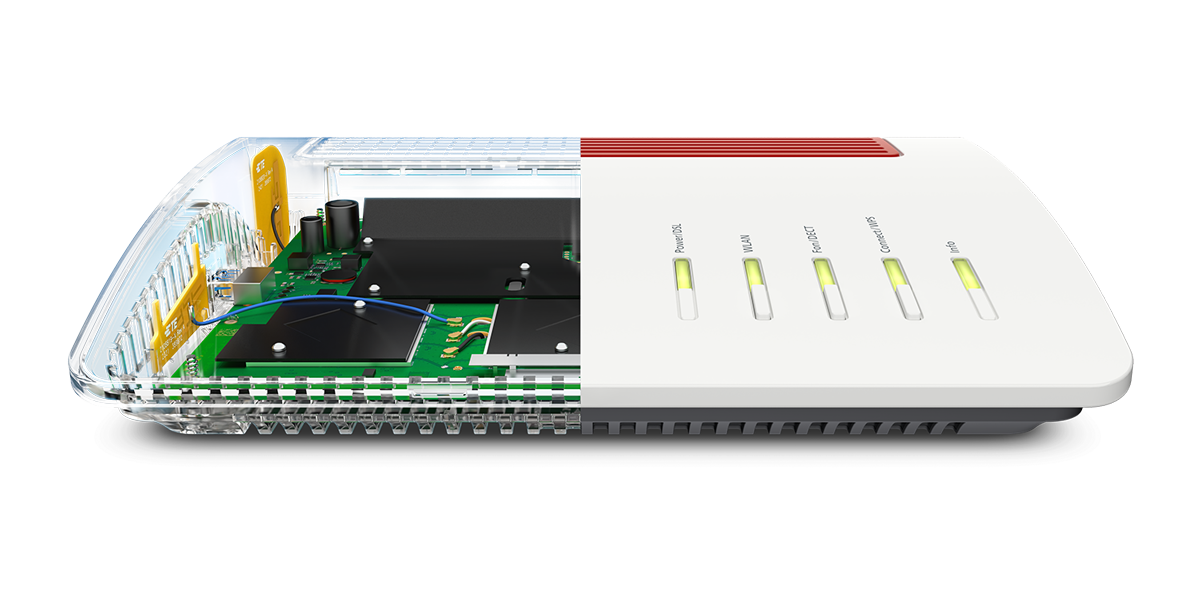
We appreciate your interest in developing new products for the FRITZ!Box family. There are already a number of projects in this area, with different approaches and technical focuses.
The FRITZ!Box already supports a variety of development projects from independent developers in its current version. Open and standardized interfaces are available to you which we support within the system architecture of the FRITZ!Box.
Additionally, you will find assistance for selected implementation ideas here. We wish you much success with your project!
The following document describes the changes and provides recommendations for user guidance for logging into a FRITZ!Box. The document is intended for developers who program third-party applications for the FRITZ!Box. From a usability point of view, developers of third-party applications are strongly recommended to adapt their user interface and terms to the behaviour of the FRITZ!Box interface, which is familiar to the user.
TR-064 is a protocol developed by the Broadband Forum to configure internet routers from the local network. It is based on the UPnP standard (Universal Plug and Play) that is used for manufacturer-independent control of devices in IP-based networks. Multicast addresses used for UPnP and therefore also for TR-064 are from an address range that is not routed. A FRITZ!Box can therefore only be accessed via TR-064 from its own local network.
Generally a software client that supports TR-064 is required to communicate. This client allows you to check the status of the FRITZ!Box and set specific parameters of the FRITZ!Box manually or in a configuration file, for example account information for the internet connection.
This document gives you an overview of the functions offered:
This document provides you with an overview of the first steps for implementing a development project:
- TR-064 – First Steps (PDF)
Last updated: 06/08/2025
This document lists the supported services and documents on the TR-064 protocol:
- TR-064 – Overview (PDF)
Last updated: 07/08/2025
All FRITZ!Box extensions are based on the TR-064 standard.
| Service | Description | Download | Date |
|---|---|---|---|
| WAN | |||
| WANIPConnection | WAN configuration, TR-064 service in IP connection mode (e.g. cable, IP client), connection status, establishing and clearing the internet connection, internet account information, port sharing, external IP address, DNS server | TR-064_WAN_IP_Connection.pdf | 07/08/2025 |
| WANPPPConnection | WAN configuration, TR-064 service in PPPoE connection mode (e.g. DSL), connection status, establishing and clearing the internet connection, internet account information, port sharing, external IP address, DNS server | TR-064_WAN_PPP_Connection.pdf | 12/08/2025 |
| WANFiber | TR-064 for connecting to fiber optics | TR-064_WAN_Fiber.pdf | 08/08/2025 |
| WANCommonInterfaceConfig | WAN statistics, Online Monitor, physical WAN access type, and status | TR-064_WAN_Common_Interface_Config.pdf | 07/08/2025 |
| WANEthernetLinkConfig | Ethernet link status | TR-064_WAN_Ethernet_Link_Config.pdf | 07/08/2025 |
| WANDSLInterfaceConfig | DSL information (CRC, data rate, SNR, ...), DSL diagnosis (e.g. detecting cable breaks) | TR-064_WAN_DSL_Interface_Config.pdf | 07/08/2025 |
| WANDSLLinkConfig | VCC settings, ATM statistics | TR-064_WAN_DSL_Link_Config.pdf | 07/08/2025 |
| X_AVM-DE_WANMobileConnection | TR-064 support for FRITZ! devices with internet access via the mobile network (5G / 4G). | TR-064_WAN_Mobile_Connection.pdf | 08/08/2025 |
| X_AVM-DE_Speedtest | Data throughput measurements | TR-064_Speedtest.pdf | 08/08/2025 |
| X_AVM-DE_RemoteAccess | Dynamic DNS, remote access | TR-064_Remote_Access_SCPD.pdf | 08/08/2025 |
| TR-064_Remote_Access.pdf | 11/08/2025 | ||
| X_AVM-DE_MyFritz | Remote access, MyFRITZ!, Dynamic DNS | TR-064_MyFRITZ.pdf | 08/08/2025 |
| X_AVM-DE_HostFilter | Parental controls, internet block | TR-064_Host_Filter.pdf | 11/09/2025 |
| Layer3Forwarding | IP network routes, WAN connection type | TR-064_Layer_3_Forwarding.pdf | 07/08/2025 |
| Telephony | |||
| X_AVM-DE_OnTel | Phone book, online contacts, call list, call block settings, call forwarding | TR-064_Contact_SCPD.pdf | 07/08/2025 |
| X_AVM-DE_TAM | Answering machine, call list | TR-064_TAM.pdf | 08/08/2025 |
| X_VoIP | Configuring internet telephony provider, configuring LAN/IP phone, Click to Dial, SIP extensions | TR-064_VoIP.pdf | 08/08/2025 |
| Home network | |||
| LanDeviceHosts | Home network devices, Wake on LAN, FRITZ! Mesh | TR-064_Hosts.pdf | 11/09/2025 |
| WLANConfiguration | Wi-Fi configuration and statistic, Wi-Fi network devices | TR-064_WLAN_Configuration.pdf | 07/08/2025 |
| LANHostConfigManagement | Network settings, DHCP server, IP address range, subnet mask | TR-064_LAN_Host_Config_Management.pdf | 07/08/2025 |
| LANEthernetInterfaceConfig | LAN interface and statistics (packet counter) | TR-064_LAN_Ethernet_Interface_Config.pdf | 07/08/2025 |
| X_AVM-DE_Dect | DECT devices | TR-064_DECT.pdf | 07/08/2025 |
| X_AVM-DE_Media | TR-064 for FRITZ! devices with DVB-C support (for example FRITZ!Box Cable) | TR-064_Media.pdf | 08/08/2025 |
| X_HomeAuto | Smart home devices | TR-064_HomeAuto.pdf | 08/08/2025 |
| X_HomePlug | Powerline devices | TR-064_HomePlug.pdf | 08/08/2025 |
| Storage/NAS | |||
| X_AVM-DE_Storage | Settings for SMB, FTP | TR-064_Storage.pdf | 08/08/2025 |
| X_AVM-DE_UPnP | UPnP AV Mediaserver | TR-064_UPnP.pdf | 08/08/2025 |
| X_AVM-DE_WebDAV | Setting up online storage / WebDAV | TR-064_WebDAV.pdf | 08/08/2025 |
| X_AVM-DE_Filelinks | Sharings | TR-064_Filelinks.pdf | 08/08/2025 |
| System | |||
| DeviceInfo | Product information, events, TR-069 Provisioning Code, Security Port for TR-064 | TR-064_Device_Info.pdf | 07/08/2025 |
| DeviceConfig | Saving / restoring settings, factory settings, restart, SID generation | TR-064_Device_Config.pdf | 07/08/2025 |
| LANConfigSecurity | User lists and FRITZ!Box password | TR-064_LAN_Config_Security.pdf | 07/08/2025 |
| X_AVM-DE_AppSetup | Managing apps (VPN, message filters, rights, remote access) | TR-064_App_Setup.pdf | 07/08/2025 |
| ManagementService | TR-069 configuration | TR-064_Management_Server.pdf | 07/08/2025 |
| X_AVM-DE_USPController | TR-064 support for the USP protocol (User Services Platform / TR-369) | TR-064_USP_Controller.pdf | 08/08/2025 |
| X_AVM-DE_Auth | 2-factor authentication | TR-064_Authentication.pdf | 07/08/2025 |
| Time | Time server (NTP) | TR-064_Time.pdf | 07/08/2025 |
| UserInterface | Information on firmware and updates, language settings | TR-064_User_Interface.pdf | 07/08/2025 |
| Miscellaneous | |||
| Different TR-064 actions | TR-064_Special_Actions.pdf | 07/08/2025 | |
| Information accessible via UPnP | |||
| Internet Gateway Device Spec v1.0 | The terminal device makes information on the WAN connection available via UPnP, which can then be accessed without authentication. | IGD_v1.pdf | 20/01/2023 |
| Internet Gateway Device Spec v2.0 | IGD_v2.pdf | 20/01/2023 | |
X-RTP-Stat header information is used to transmit the relevant QoS parameters in the SIP-BYE message. Here is a summary of the required information:
This explains the settings that an internet service provider can use to optimally configure the QoS (Quality of Service) parameters for a FRITZ!Box:
- PPP-controlled Settings for FRITZ!OS (PDF)
Last updated: 05/05/2025
Session ID
The use of session IDs offers effective protection from what are known as 'cross-site request forgeries', in which an attacker sends unauthorized commands to a web application. The following document discusses the use of session IDs and is addressed to developers who program tools for the FRITZ!Box.
- Session ID (PDF)
Last updated: 03/05/2021
Smart Home REST API and AHA HTTP Interface
The Smart Home REST API and AHA HTTP Interface allow FRITZ! devices for home automation (e.g. FRITZ! radiator controls, FRITZ! smart plugs) to be controlled via an external application. The devices must be registered in the FRITZ! home network.
To use all the functions of the interfaces, the latest version of FRITZ!OS must be installed. See the documentation for details.
The Smart Home REST API is the more functionally comprehensive interface.
- Smart Home REST API documentation (HTML)
Last updated: 07/08/2025 (for FRITZ!OS 8.20) - Smart Home REST API OpenAPI specification (YAML)
Last updated: 07/08/2025 (for FRITZ!OS 8.20) - AHA HTTP Interface (PDF)
Last updated: 05/08/2025
IPv6 support in the FRITZ!Box is explained here:
This explains the Mesh topology of a FRITZ!Box provided in JSON format and answers frequently asked questions regarding its interpretation:
- Mesh Topology (PDF)
- Mesh Topology Schema v8.7 (JSON)
Last updated: 19/06/2026 (new for FRITZ!OS 8.25)
If you have comments on documents made available on this page, feel free to contact us at Entwicklungssupport@fritz.com.
If you use this address to contact us, please set your devices to the original firmware version first and send us the support information you generate under http://fritz.box/support.lua as an attachment.
Note:Information on trademarks and copyrights
Before developing your own applications, note FRITZ!'s trademarks and copyrights. We advise you to comply with trademark laws and select a name for your product that does not imply that 'FRITZ!' or 'F!' is the manufacturer, a partner, sponsor, or similar of your product. You must also ensure that it has no negative impact on FRITZ! devices and services, or the FRITZ! brand (e.g. damage to our reputation). It is also not permissible to use graphics such as the FRITZ! and F! logo or use graphical elements from FRITZ! devices, such as from the FRITZ!Box user interface. Specifically, this applies to using FRITZ! logos or including our trademarks such as 'FRITZ!' / 'F!' or 'FRITZ!Box' in the product name of any product developed by another manufacturer. The use of similar symbols may be permissible in certain cases and to a limited extent when used solely to describe features or characteristics. A reference to the compatibility of the new product (example: 'Product-name-of-new-app, address management for FRITZ!Box') in a subheading or within the text is also allowed in individual cases and to a limited extent.
Important:Disclaimer of liability and warranty
We assume no liability or warranty for any of the mentioned functions or the accuracy of the related documentation. We reserve the right to change or remove features at any time without prior notice.

